Sponsored Link:
A Professional Directory of Practical Browser Extensions
Welcome to Free Business Apps, a centralized directory designed to help users discover practical browser extensions and understand how to use them effectively. The index page brings together more than ten extensions supporting business, productivity, document, media, research, and browsing tasks. R
Each extension is presented through a dedicated information page. These pages explain its purpose, introduce its principal features, and provide instructions for installation and use. Whether a visitor needs a simple shortcut, a document utility, a visual editing tool, or an advanced browser function, the directory makes it easier to evaluate the available options before getting started.
Streamline Everyday Browser Tasks
Many extensions are designed to reduce the time and effort required to complete routine actions. Users can access bookmarks, downloads, browser settings, extensions, Google applications, and other frequently used destinations with fewer steps. Tools for automatic scrolling, tab reloading, tab snoozing, bookmark management, form filling, and text expansion can help create a more efficient browsing environment.
These utilities are valuable for professionals who spend a significant part of the day working in a browser. Small improvements, such as opening a commonly used page with one click or automatically entering repeated information, can reduce unnecessary navigation and support a more consistent workflow.
Work More Effectively with Documents and PDFs
The directory includes extensions for viewing, opening, converting, merging, splitting, and managing documents. Visitors can explore tools for working with PDF, Word, spreadsheet, RTF, XML, TIF, EPUB, and image-based file formats. Dedicated PDF utilities can combine files, separate pages, convert PDFs into images, or turn other file types into PDFs.
These tools can support administrative work, education, client communication, record keeping, and personal organization. A user who needs to combine invoices, prepare an attachment, open a document received by email, or convert a file for easier sharing can locate a relevant extension and review its usage guide.
Create and Manage Visual Content
Free Business Apps also features extensions for screenshots, image editing, photo collages, image downloads, reverse image searches, and format conversion. Full-page capture and webpage screenshot tools can help users preserve online information, document technical issues, prepare reference material, or share visual instructions.
Creative and technical users can also find tools for identifying fonts, selecting colors, creating word clouds, viewing 3D files, editing LaTeX equations, and designing mind maps. These extensions can be useful for presentations, reports, brainstorming, design research, website reviews, and educational projects.
Improve Media and Online Viewing
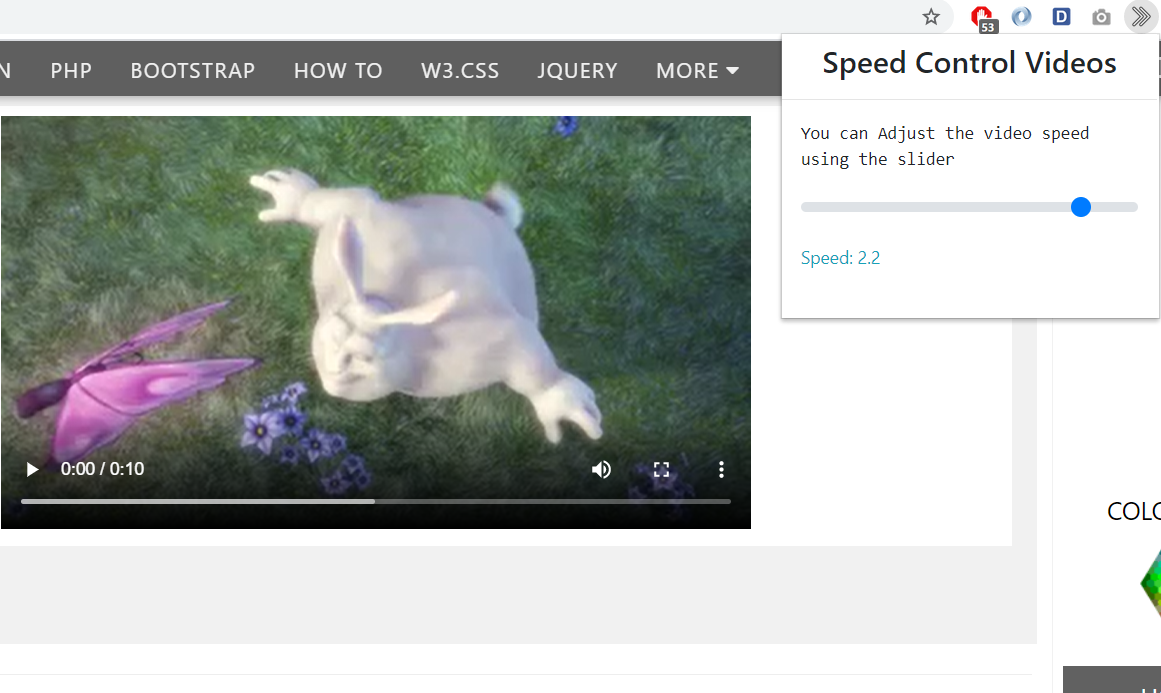
A selection of extensions focuses on audio, video, and online media. Available tools include video speed controls, floating video players, YouTube enhancements, audio editing, podcast playback, webcam access, and sound measurement. These extensions provide additional flexibility for users watching training materials, reviewing presentations, listening to recorded content, or working with browser-based media.
Playback controls can help users review instructional videos at a preferred speed, while floating-player tools may keep media visible while the user works elsewhere. The corresponding extension pages explain the controls and steps required to activate each function.
Support Research, Communication, and Productivity
The directory contains tools for note-taking, reminders, translation, dictionaries, RSS feeds, email workflows, online clipboards, and virtual keyboards. These extensions can support research, communication, planning, and information management across professional and personal contexts.
Users may also find utilities for creating passwords, checking internet speed, scanning files, managing cookies, adjusting screen brightness, enabling right-click functionality, or applying dark mode. Together, these tools address both productivity requirements and common browsing preferences.
Resources for Developers and Advanced Users
Developers, website administrators, and technical users can explore extensions for managing JavaScript, editing cookies, adjusting cross-origin access, testing page behavior, saving webpages, and applying custom styles. These tools can assist with troubleshooting, development, testing, and browser customization.
Because technical extensions may change how websites behave, users should review the relevant instructions and use each tool only where they have appropriate authorization. The dedicated pages provide an accessible introduction to the intended function of each extension.
How to Use the Directory
To begin, browse the extension names on the index page and select the tool that best matches your objective. The selected link opens a dedicated page containing a feature overview and usage tutorial.
Some extensions operate directly from the toolbar, while others work through a webpage, context menu, file-selection screen, or browser setting. Visitors should follow the instructions on the individual extension page to understand the correct workflow.
By combining extension listings with practical explanations and usage guidance, the directory helps users identify relevant tools, understand their capabilities, and begin using them with confidence.
 1 Click to Bookmarks
 1 Click to Chrome Downloads
 1 Click to Google Apps
 1 Click to Google Docs
 1 Click to Google Draw
 1 Click to Google Forms
 1 Click to Settings
 AutoCAD Viewer
 AutoHD for Youtube
 Customize Tabs for Google Keep
 Dark Mode for Youtube
 Emojis Keyboard
 Lenny Keyboard
 Online Webcam
 Repeat Songs for Youtube
 Text Art Keyboard
 Video Speed Control
 Weekly Reminders
 XML Viewer